How to Show an Add-to-Cart Count on Shopify
Shopify never exposes add-to-cart counts to your theme. Here is what it takes to put a real '8 added to cart' label on a product page or a collection grid, and how to tell a measured count from a generated one.

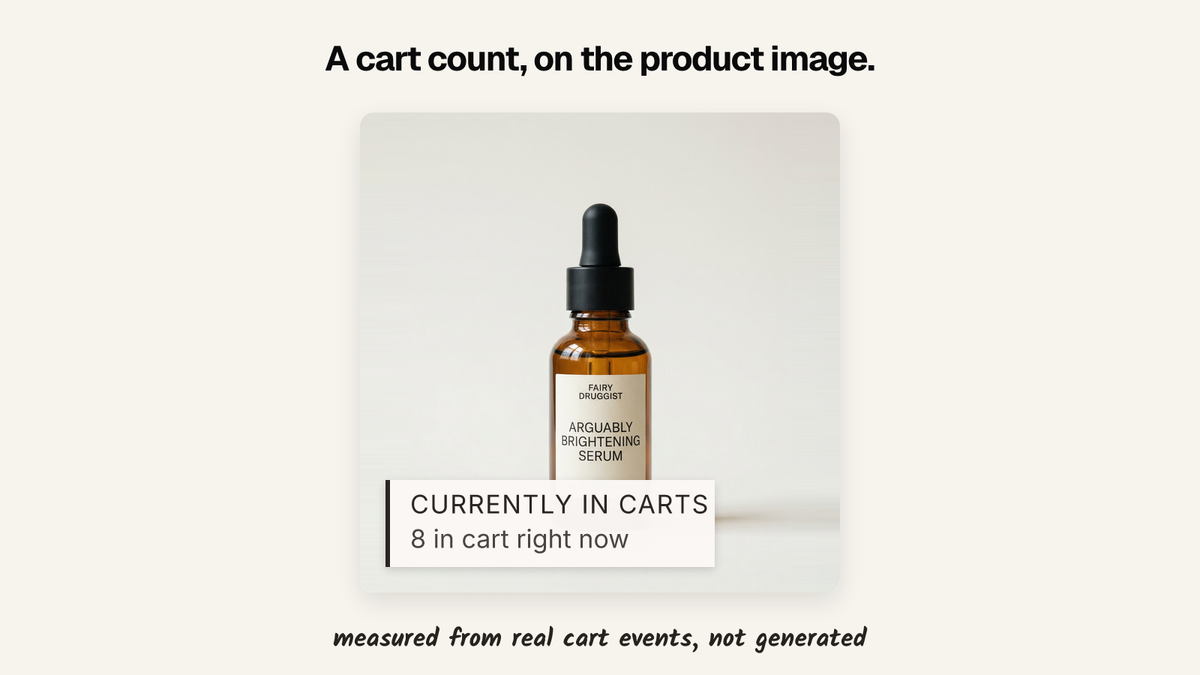
Shopify has no add-to-cart count. Cart events happen in the shopper's browser and never reach your theme, so an "8 added to cart" label needs something recording those events and serving the total back: a web pixel, a backend, or an app.
There is also a shortcut, and it is worth naming early: a good number of the cart-count badges on the internet are not counting anything. More on how to spot that below, because it decides which option you should pick.
Why this is harder than a sold count
A sold count comes from orders. Orders are yours, they sit in the Admin API, and you can compute a total once a night and write it into a metafield for the theme to print. We covered that in how to show units sold on a Shopify product page.
A cart-add count has no such source. Shopify does not keep a per-product add-to-cart total for you to read, and nothing in Liquid exposes one. Your admin analytics can tell you about add-to-carts in aggregate; your storefront cannot ask for the number on a given product.
So before you can display anything, you have to record it. The supported way is the Web Pixels API, which lets you subscribe to storefront events — product_added_to_cart gives you the product and variant every time a shopper adds one. You send that somewhere, you count it, you serve the total back to the page.
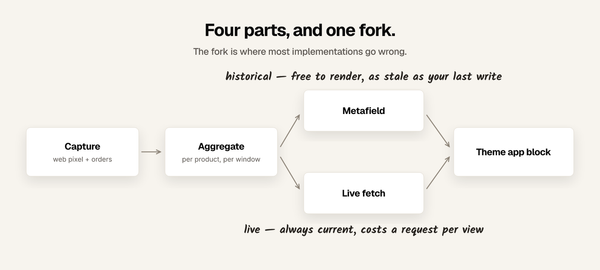
Which means a cart-add counter is three moving parts rather than one: capture, aggregate, display. A sold count is only the third.
The placement problem nobody mentions
Most guides stop at the product page, where this is comparatively easy. You have one product ID, you fetch one number, you print it.
The label people actually screenshot is on a collection page, sitting on the product image in the grid. That is a different problem. A collection page renders twenty-four to forty-eight products at once, and you need a number for every one of them before the grid paints. Doing it naively is forty-eight requests on a page that has not finished loading, which is why so many apps quietly support product pages only.
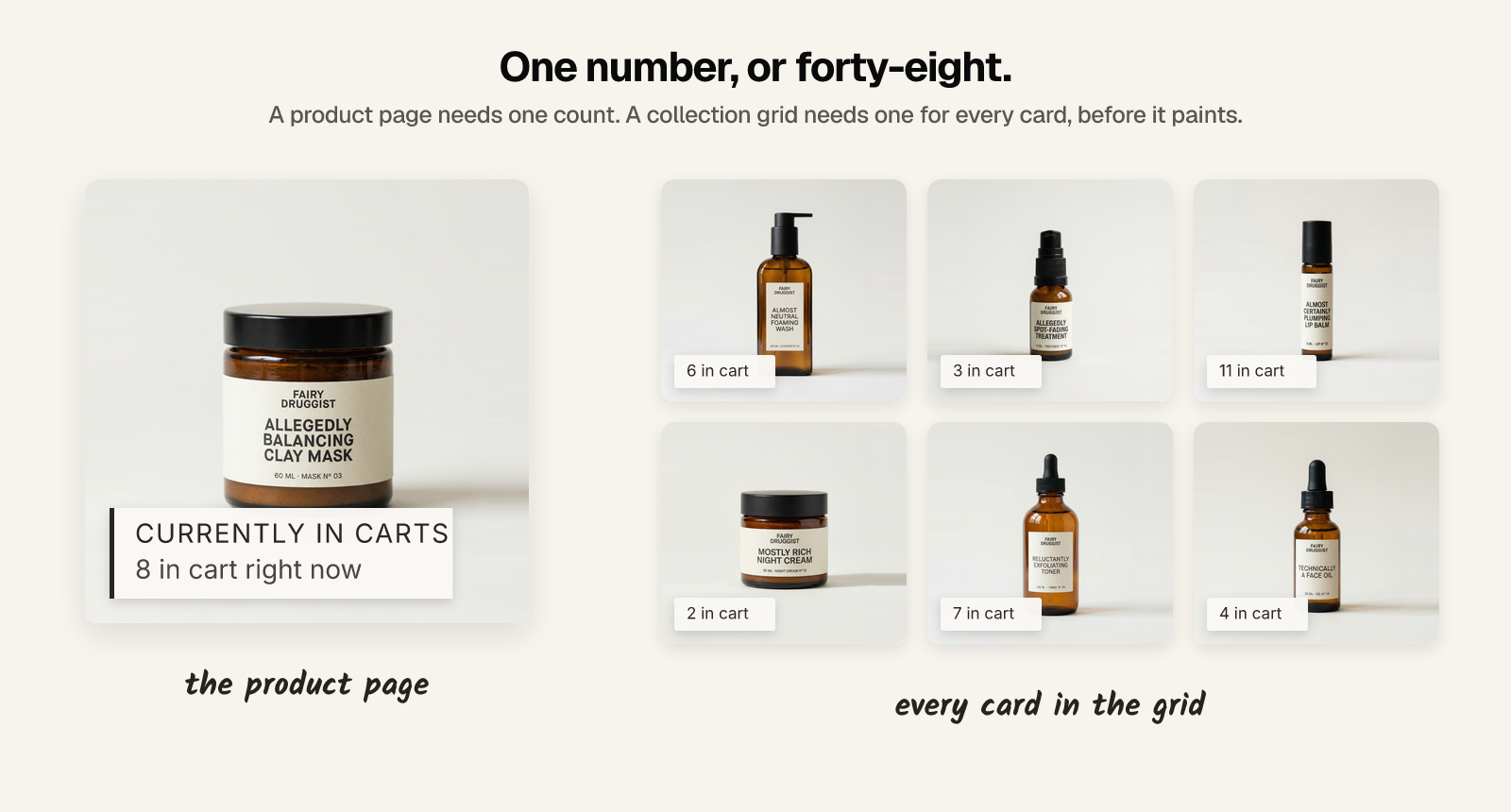
The workable approaches:
- Precompute and attach. Aggregate the counts on a schedule and write them where the theme can already read them for every product in the grid, so the numbers arrive with the page rather than after it.
- One batched request. Ask for all visible product IDs in a single call after render, then fill the cards in. Simpler to build, but the labels pop in late, which looks worse on a grid than it does on a product page.
If a collection-grid label is what you are actually after, ask about it specifically. "Works on collection pages" sometimes means the app renders a banner there, not a per-card number.
The options, honestly
Build it
Entirely doable. A web pixel extension subscribing to product_added_to_cart, an endpoint that accepts those events, a store that aggregates per product per time window, and a way for the storefront to read the totals back.
Budget for the parts that are not the happy path:
- Removals. Shoppers add and then remove. If you count only
product_added_to_cart, your number drifts upward forever and never comes back down. Subscribe toproduct_removed_from_carttoo, and decide what your number actually means. - Repeat adds. One shopper adding the same item three times is not three shoppers. Decide whether you are counting events or people, and be able to say which.
- Bots. Automated traffic adds to carts. An uncorrected count is partly crawler.
- Caching. Shopify caches storefront pages aggressively. A number rendered into the HTML can be served to thousands of shoppers long after it stopped being true.
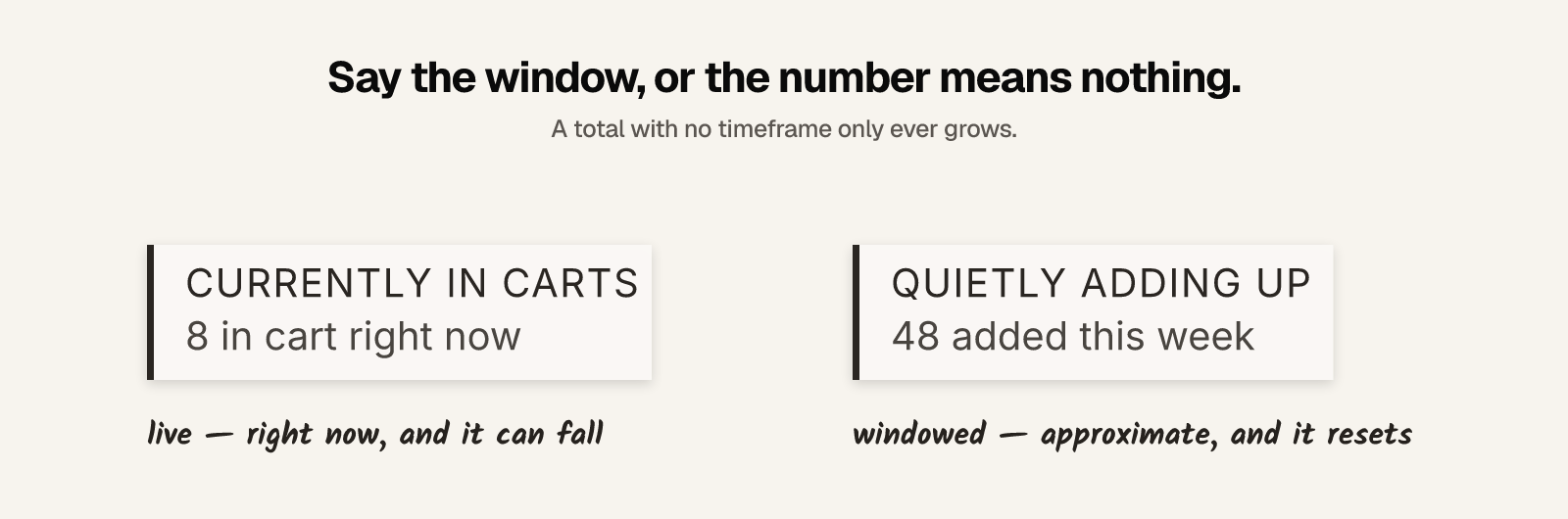
- Windows. "Added to cart" with no timeframe is a lifetime total that only ever grows and eventually means nothing. Pick a window and say it.
- Small numbers. On a thin catalogue, a per-product count divided by a short window tells a competitor your daily rate. Coarsen or withhold below a threshold.
That is a service with an uptime expectation, not a nightly job. If you have engineering time it is the right answer and you own it forever.
Use an app
The tradeoff is money for the list above.
Disclosure: I build one. Sold So Many records add-to-cart events through a web pixel and shows them as labels on product images — on product pages and on collection grid cards, which is the harder half. It can show the live figure ("8 in cart right now") or a windowed one ("48 added to cart this week"), and it holds counts back when the data is too thin to support them. It is 5.0 rated from 3 reviews, free up to 10,000 visitors a month, and $19 a month above that.
Other apps show cart counts too, most of them on product pages only. Whichever you look at, ask the question in the next section.
The third option nobody advertises
Show a number you made up. It is easy, it is common, and it is why the pattern is distrusted.
How to tell a measured count from a generated one
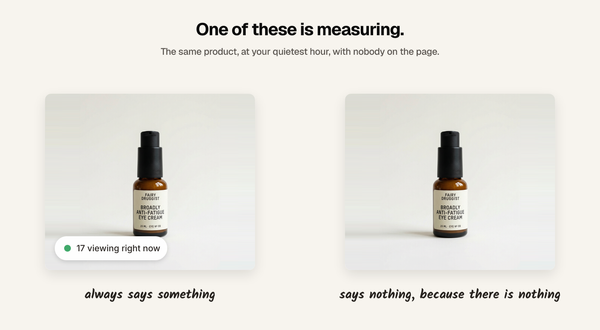
Ask the vendor: what does it show on a product nobody has added to their cart?
A measured count shows nothing. A generated one has a floor, because a badge that admits the number is zero has defeated itself. The tells are in the settings screen:
- a minimum value, or a range like 5 to 20
- a number that changes on a timer rather than on traffic
- similar counts across every product, including ones with no traffic
- no timeframe anywhere — just "added to cart", forever
You can also check it yourself. Open a product you know nobody is buying, in a private window, at your quietest hour. If it claims a crowd, you have your answer.
This matters more for cart counts than for most social proof, because the products where a fabricated number flatters you most are precisely the ones with nothing behind it.
Cart adds are not sales, and the wording should admit it
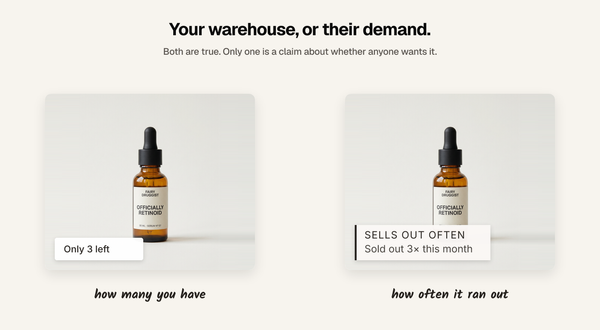
A cart add is weaker evidence than a purchase. It is also far more plentiful — a product with no orders this week may well have twenty cart adds — which is exactly why the temptation is to blur the two.
Do not. "8 added to cart" and "8 bought" are different claims, and only one of them is true. The honest version is more useful anyway: cart adds are a live signal of what people are considering right now, and shoppers read them as such. Dressed up as sales they are simply false, and the first shopper who notices has learned something about your store you cannot unteach.
If a product has real sales, show the sold count — it is the stronger claim. Cart adds earn their place where interest runs ahead of orders: new products, restocks, expensive items with long consideration.
What to show when the number is small
- Set a display threshold, not a floor on the number. Show the label only above a count you choose. Below it, show nothing.
- Widen the window. "48 added to cart this week" is a real number and a bigger one than today's.
- Show a different signal. A sold count or a recent purchase often carries more weight anyway. Match the signal to the product instead of putting one widget on all of them.
Which to pick
- Product page only, engineering time available: build it. The capture side is straightforward; the honesty decisions above are the real work.
- Collection grid labels: ask specifically whether per-card numbers are supported before anything else. This is where most options quietly stop.
- No engineering time: an app, chosen with the generated-count question asked out loud.
- A product with real orders: show units sold instead. It is a stronger claim and easier to get right.
FAQ
Does Shopify show how many people added a product to cart? In your admin analytics, in aggregate. Not on the storefront — no Liquid object exposes a per-product add-to-cart total, so shoppers cannot see one without a pixel, a script, or an app.
Can I add an add-to-cart counter with Liquid alone? No. Adding to cart happens in the browser after Liquid has finished rendering, so there is nothing for Liquid to read. You need something recording the events and serving totals back.
How do I record add-to-cart events on Shopify? Through the Web Pixels API. Subscribe to product_added_to_cart for the adds, and product_removed_from_cart if you want the number to come back down when shoppers change their minds.
Can the count appear on collection page product cards, not just the product page? Yes, but it is the harder case: a grid needs a number for every product before it paints. Check that an app supports per-card numbers specifically — "works on collection pages" can mean a banner rather than a label on each image.
Is an add-to-cart count as persuasive as a sold count? It is a different claim. A sold count is an outcome, a cart add is intent. Cart adds are more plentiful and work well where interest runs ahead of orders, but where a product has real sales, the sold count is the stronger thing to show.
Written by Mehmet Tekin, 1 September 2026. I build Sold So Many, a Shopify social proof app, so treat the app section as disclosed rather than neutral.