How to Build a Shopify Social Proof App
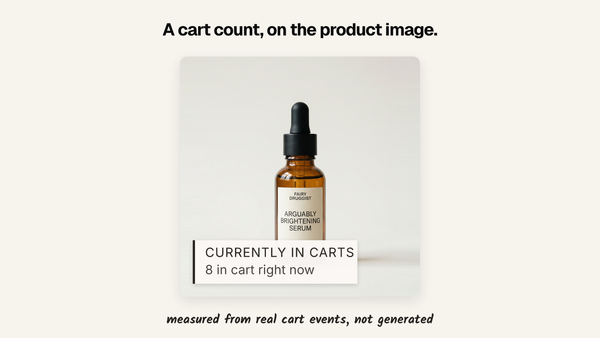
The architecture behind '23 sold today' and '8 in cart right now': what captures the events, where the numbers live, the two ways they reach a theme, and the parts that are not the happy path.

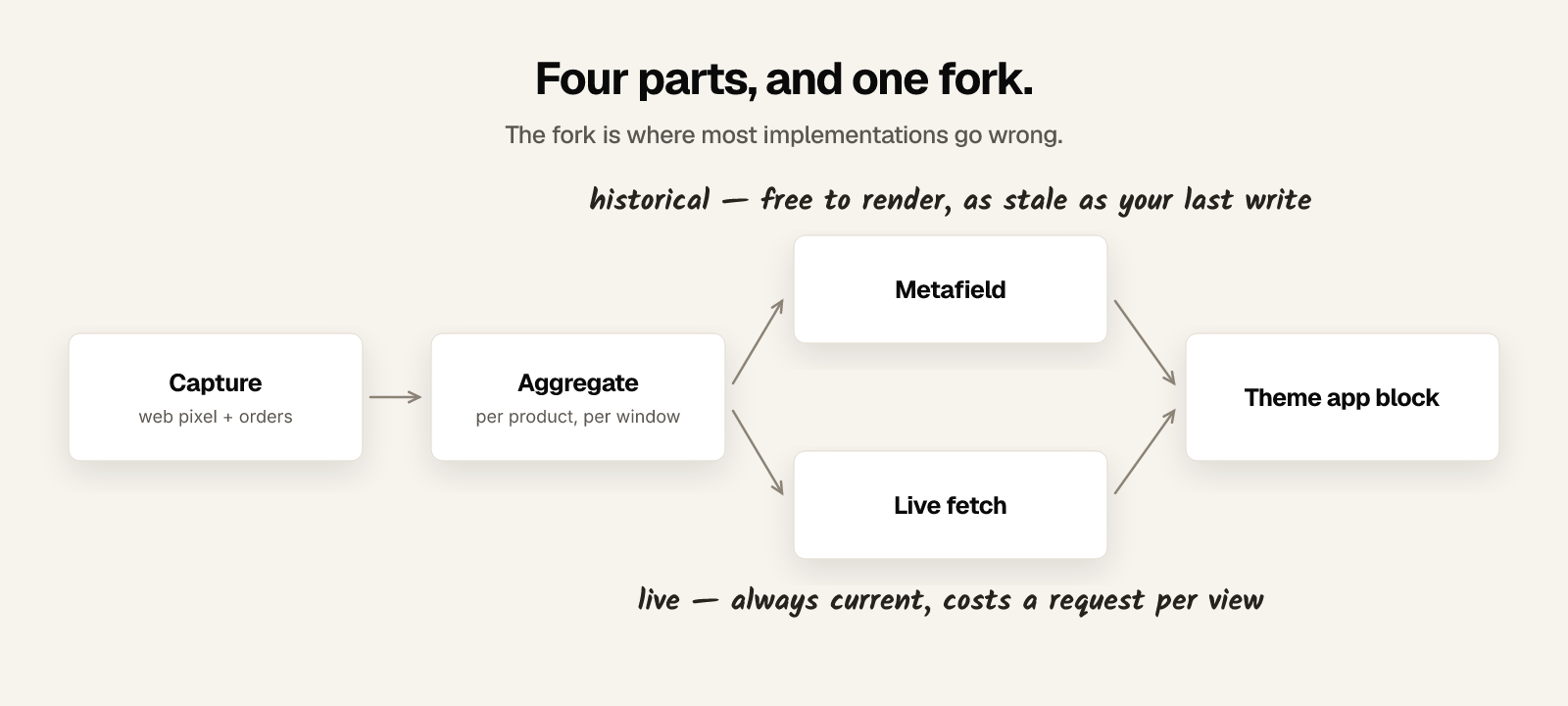
Four parts: something that captures storefront events, somewhere to keep them, something that aggregates them per product, and a way to get the totals back into a theme. Liquid cannot do any of it alone, because Liquid renders once on the server before a shopper is looking at the page.
That last sentence is the whole reason this is an app rather than a snippet. Whatever number Liquid prints was computed before the request and is already history.
What Shopify gives you, and what it does not
You get: order and product data through the Admin API, storefront events through the Web Pixels API, product metafields your theme can read at render time, theme app blocks so a merchant can place your UI without editing code, and webhooks for changes.
You do not get: any per-product total of views, cart adds or units sold that a storefront can ask for. Shopify's analytics are for the merchant in the admin, not for the theme. Every number you want to show, you compute and store yourself.
Part 1 — capture
Two different sources, and it is worth being clear which is which.
Orders come from the Admin API. For history, a bulk operation: you submit a query, Shopify runs it asynchronously and hands back a JSONL file, which matters because a store with 200,000 orders will not be paginated in a request cycle. For everything after that, the orders/create webhook.
Storefront behaviour comes from a web pixel extension. You subscribe to the events you need and post them somewhere:
analytics.subscribe("product_added_to_cart", (event) => {
  const item = event.data.cartLine.merchandise;
  navigator.sendBeacon("https://your-app.example/collect", JSON.stringify({
    type: "cart_add",
    productId: item.product.id,
    variantId: item.id,
    at: event.timestamp,
  }));
});
product_viewed, product_added_to_cart and product_removed_from_cart are the three that matter for this. Use sendBeacon rather than fetch — it survives the page unloading, which is exactly when a cart add is followed by a navigation.
Subscribe to the removal event even if you think you only want adds. Count adds alone and your number drifts upward forever and never comes back down.
Part 2 — aggregate
Raw events are not what you display. You want a count per product per window, recomputed on a schedule, because computing it on demand puts a database query in front of every product page view on a store you do not control the traffic of.
The window is a decision you have to make explicitly and then state on the label. "142 sold" with no timeframe is a lifetime total that only grows and eventually says nothing about now.
The thing worth knowing before you start: you cannot backfill behaviour. Orders have history you can pull on install. Views and cart adds do not exist until your pixel is live, so every store starts empty on those signals and stays that way for as long as the window is. Plan the first-run experience around that or the app looks broken on day one.
Part 3 — deliver, and why there are two paths
This is where most implementations go wrong, and it is worth doing carefully.
Path A — product metafields. Write your computed totals into a metafield namespace, and the theme reads them in Liquid at render:
{% assign sold = product.metafields.yourapp.sold_30d %}
{% if sold %}<span class="proof">{{ sold }} sold this month</span>{% endif %}
No request from the browser, no layout shift, nothing to load. The number is part of the page. The cost is that it is exactly as fresh as your last write, and Shopify caches storefront pages hard — so a number baked into the HTML can be served to thousands of people long after it stopped being true.
Path B — a request from the browser. Your block renders empty, then asks your backend for the current figure and fills it in. Always current, immune to page caching. The cost is a request per page view against infrastructure you now have to keep up, plus a visible pop-in.
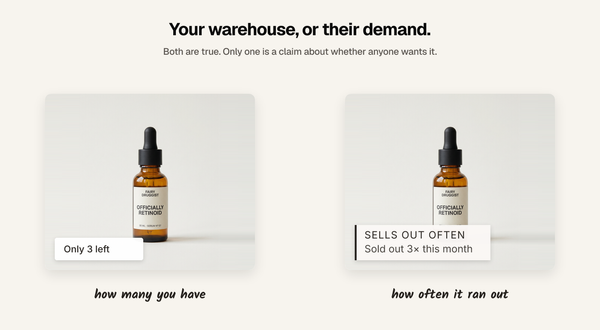
The rule that falls out of that: anything historical goes in a metafield, anything live is fetched. "23 sold this month" does not change between two page views; "8 in cart right now" is meaningless if it does not. Doing all of it one way is the mistake — all metafields and your live counts are lies, all fetches and you have built a service that has to answer every product page view on the internet.
At catalogue scale the metafield path has its own ceiling: writes are batched and rate limited, so 40,000 products is a job to schedule, not a loop to run.
Part 4 — render
Ship a theme app block, not an instruction to paste Liquid into a theme file. A block appears in the merchant's theme editor, they position it themselves, and uninstalling removes it cleanly. Editing theme files means every merchant who changes theme silently loses your feature and blames you.
For collection grids, note that a product card is rendered by the theme's own snippet, and you generally cannot inject a block into it. The metafield path saves you here: the numbers are already on the product object the card is looping over.
The parts that are not the happy path
The pipeline above is a week. These are the rest of it.
- Bots. Automated traffic views products and adds to carts. An uncorrected count is partly crawler, and the products with least real traffic have the highest crawler fraction.
- Events versus people. One shopper adding the same item three times is three events. Decide which you are counting and make the label say that.
- Consent. A session identifier is a cookie question in the EU and UK, and your pixel is running on someone else's store under their privacy policy.
- Windows and timezones. "Today" in whose timezone? A merchant in Auckland and a shopper in Berlin disagree, and the boundary is where your numbers visibly jump.
- Small numbers. A per-product count over a short window is a per-day rate anyone can divide out. On a thin catalogue you are publishing sales figures the merchant did not mean to publish. Coarsen or withhold below a threshold.
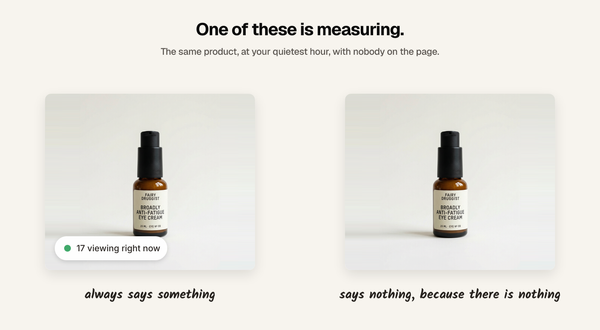
- Nothing to say. Most products, most of the time, will not clear whatever minimum you set. Render nothing. This is the single most important behaviour and the one most implementations get wrong, because an empty product page is a bad demo.
- Proving it worked. Impressions are not evidence. If you want to know whether the label earned anything, you need a holdout — some share of shoppers who never see it — and the discipline to report the comparison rather than the raw conversion rate of people who saw it.
What it costs to keep running
An endpoint taking storefront traffic from every store that installs it, a datastore whose volume is events rather than orders, a scheduler that must finish before the next cycle starts, and a write path into Shopify that is rate limited. It has an uptime expectation: when it is down, a merchant's product pages are missing content they paid for.
That is the honest difference between the build and the buy. The build is a fortnight. The running is indefinite.
Should you build it
Build if social proof is core to what you sell, if you need signals nobody offers, or if you are an agency who will amortise it across clients. The architecture above is not exotic and you will own it forever.
Do not build if you want "23 sold today" on a product page. That is a solved problem sold for less than an afternoon of your time, and the interesting work is not in the pipeline — it is in the thresholds, the privacy handling, and knowing which signal to show on a product where three of them are technically true.
Disclosure: I build Sold So Many, which does exactly the above. Everything in this post is the architecture, which is standard Shopify practice and not the part that took the time.
FAQ
Can you build social proof on Shopify with Liquid alone? No. Liquid renders on the server before the page loads, so anything it prints is already historical, and Shopify exposes no per-product view or cart-add totals to the storefront. You need something capturing events and something serving totals back.
How do you track add-to-cart events on Shopify? A web pixel extension subscribing to product_added_to_cart, posting to your own endpoint with sendBeacon. Subscribe to product_removed_from_cart too, or your counts only ever go up.
Should the numbers go in metafields or be fetched from an API? Both, split by whether the number changes between page views. Historical counts belong in metafields, where they cost nothing to render. Live counts must be fetched, because a cached page will serve a stale one indefinitely.
How long does it take to build a Shopify social proof app? The pipeline is a couple of weeks. Bot filtering, consent, timezone boundaries, catalogue-scale metafield writes, small-number privacy and knowing when to show nothing are the rest of it, and they do not end.
Why do so many social proof apps show fake numbers? Because measuring is harder than generating, and a measured count shows nothing on most products most of the time, which is commercially uncomfortable. A settings screen offering a minimum or a range is the tell.
Written by Mehmet Tekin, 4 September 2026. I build Sold So Many, a Shopify social proof app, so treat the last section as disclosed rather than neutral.