How to Show Low Stock on Shopify Without Making It Up
Shopify already gives your theme the inventory number, so you do not need an app to show 'Only 3 left'. The harder question is whether that number means anything, and what to show instead when it does not.

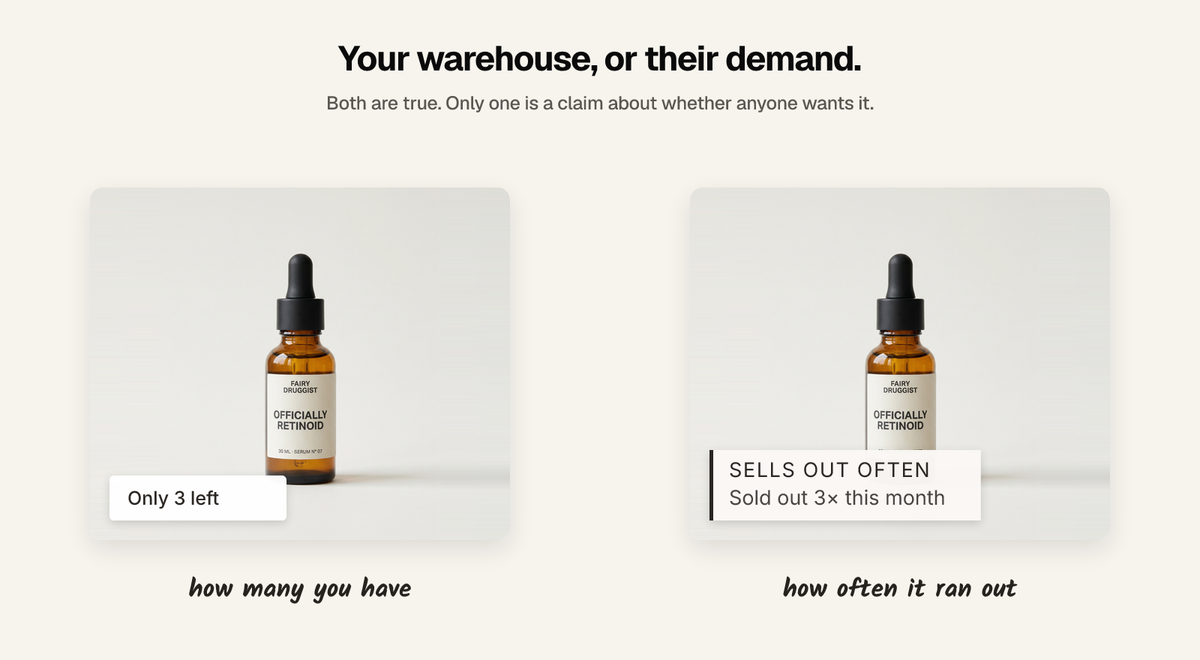
You do not need an app. Shopify already hands your theme the inventory number, so a snippet in your product template can print "Only 3 left" today. The harder question is the one almost nobody asks first: whether that number means anything on your store.
The version with no app
If your variants are tracked by Shopify and set to stop selling at zero, the quantity is available in Liquid:
{% assign v = product.selected_or_first_available_variant %}
{% if v.inventory_management == 'shopify'
   and v.inventory_policy == 'deny'
   and v.inventory_quantity > 0
   and v.inventory_quantity <= 5 %}
  <p class="low-stock">Only {{ v.inventory_quantity }} left</p>
{% endif %}
The two guards matter more than the threshold. Without inventory_management == 'shopify' you will print a quantity Shopify is not tracking, which is usually zero, on products that are perfectly in stock. Without inventory_policy == 'deny' you will announce scarcity on an item that happily oversells, which is the sort of thing a customer notices at the worst moment.
That is the whole feature. Any app selling you this is selling you a settings screen.
Why the number is weaker evidence than it looks
Inventory quantity describes your warehouse. Shoppers read a low-stock badge as a statement about demand — that other people have been buying this. Those are not the same claim, and on plenty of stores they are unrelated:
- A dropshipped product has whatever quantity you typed in. Three is a decision, not a fact.
- A made-to-order or print-on-demand item has no meaningful stock level at all.
- A slow product you only ever bought five of shows "Only 2 left" forever, and it means nobody wants it.
- A restock resets it. The badge vanishes on your best seller precisely because it sold well, which is backwards.
The uncomfortable version: low stock is most flattering on the products with the least demand behind them. A quantity of two says nothing about whether the other three sold yesterday or in 2024.
Which is why so much of it is invented
Once you notice the number is arbitrary, editing it stops feeling like lying. This is why the category has the reputation it does, and why so many low-stock apps have a settings screen with a minimum, a range, or a "display value" that has nothing to do with your inventory.
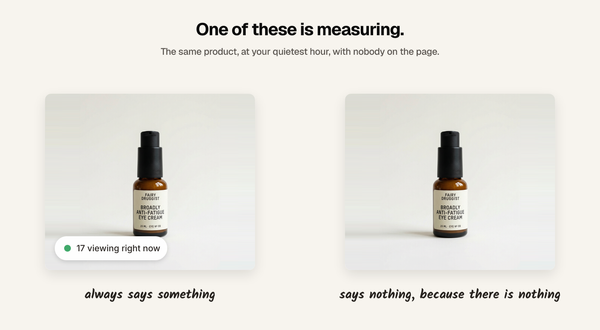
The test is the same one that works on any social proof widget: what does it show on a product you have three hundred of? If it still says "Only 4 left", it is not reading anything.
The honest version of the same argument
What a low-stock badge is reaching for is real: this product moves, you might miss it. There is a way to say that from data a shopper could in principle verify — sellout history rather than current quantity.
- "Sold out 3× this month" — it ran out repeatedly, which is a demand claim, not a warehouse claim.
- "Restocked 2 hours ago" — it is back, and recently.
- "Was sold out for 3 days" — how long it stayed gone, which says something about how fast it goes.
The difference is what happens on a quiet product. Current quantity always produces a number, so it always produces a badge. Sellout history produces nothing at all until the product has actually sold out, come back, and done it again. That is the point: it can decline to speak.
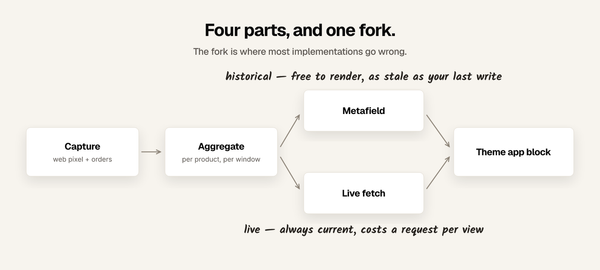
Getting it requires recording inventory transitions as they happen — Shopify's inventory webhooks give you the crossing from positive to zero and back — and keeping them. A snapshot of today's quantity cannot be turned into history after the fact, which is the one genuine reason to reach for an app here rather than a snippet.
Disclosure, and what mine does not do
I build Sold So Many. It does not have a low-stock counter — that booster is deprecated and we do not offer one.
What it does instead is the sellout-history version above, computed from recorded inventory transitions: "Sold out 3× this month", "Restocked 2 hours ago", "Was sold out for 3 days". On a product that has never sold out it shows nothing, and there is no setting to change that. It is 5.0 rated from 3 reviews, free up to 10,000 monthly visitors, and $19 a month above that.
If you want a plain "Only 3 left", use the Liquid above. It is free and it is the same feature.
When low stock is the right thing to show
There is a case for it, and it is narrower than the category implies. Show the quantity when it is true and consequential:
- Genuinely limited runs. A batch of forty, a one-off, a discontinued line.
- The last few of a size. In apparel this is real information a shopper needs, and it is about their size rather than about urgency.
- Pre-order and allocation. Where the number is the constraint people are buying against.
In all three the number is doing honest work because scarcity is actually the situation. Set the threshold low, show the real figure, and let it disappear when you restock.
If you take one thing
Ask what the badge does on a product you have three hundred of. If the answer is anything other than "nothing", it is not reading your inventory — and if it is reading your inventory, you did not need an app to do it.
FAQ
How do I show low stock on Shopify without an app? Print inventory_quantity from Liquid in your product template, guarded by inventory_management == 'shopify' and inventory_policy == 'deny' so you only show it where Shopify is actually tracking stock and refusing to oversell.
Does Shopify have a built-in low stock badge? Not on the storefront. Your admin warns you about low inventory, but no theme shows it to shoppers by default — though the data is available to your theme, so a snippet is enough.
Are low stock counters on Shopify stores real? Some are. Many are not, and the tell is a settings screen offering a minimum, a range, or a fixed display value. A counter reading real inventory shows nothing on a product you have plenty of.
Is low stock a good social proof signal? It is a weak one, because inventory quantity describes your warehouse rather than demand. On dropshipped, made-to-order and slow-moving products it can be flattering precisely where there is least demand. Sellout history — how often a product has run out — makes the demand claim directly.
What should I show instead of a low stock badge? Something backed by what actually happened: how many times the product has sold out, when it was last restocked, how long it stayed gone, or a plain sold count. All of them can show nothing when there is nothing to say, which a stock quantity cannot.
Written by Mehmet Tekin, 2 September 2026. I build Sold So Many, a Shopify social proof app, which is why it is worth saying plainly that it does not do the thing this post is about.