The Best Shopify App for Social Proof (2026)


Social proof is one of the most important motivators of customers' buying decisions. There are a number of ways to use social proof on an e-commerce store: the most obvious being customer reviews.
There are, however, new ways you can display social proof on your store: use live customer activity to entice other customers. Show recent orders, sold units counts, active visitor counts and active cart counts.
The Best App: Sold So Many
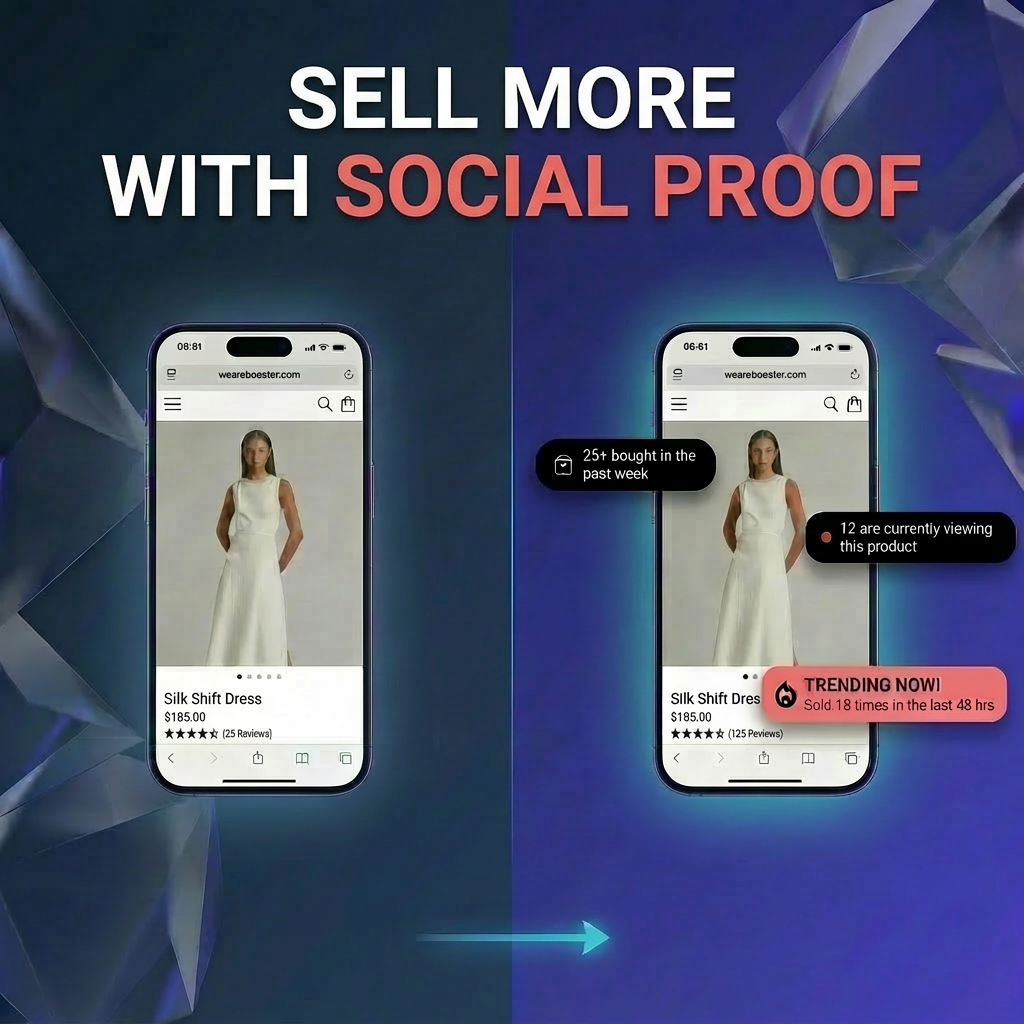
Sold So Many is the most purpose-built social proof app on Shopify. Where most alternatives show a corner pop-up, Sold So Many puts verified activity counts directly on product images, inline in the page, and across collection pages. Sold So Many displays true data and is highly accurate, as it periodically syncs data with the Shopify API and runs lightweight scripts on merchants' stores.
High Visibility - Minimum Intrusiveness

Sold So Many provides several ways to display social proof, including image overlays, inline blocks, and pop-ups. For all display modes, the app aims for high visibility and minimum intrusiveness. That is, make sure the shopper sees one of the elements of social proof before leaving the store, without obstructing their view of the product and causing a subpar user experience.
Here are all the display modes provided by Sold So Many.
Product Image Overlays

Sold So Many created this unique way of displaying social proof - the product image overlays.
Product images are the first thing (and, in many instances, the only thing) a shopper sees on a product page. Many shoppers will not scroll down to read the product descriptions or scroll further to see the customer ratings and reviews. For this reason, the product image is a primary real estate on a product page.
Sold So Many's product page image overlays make use of this high-value part of the product page by adding social media messaging right on top of product images, all while keeping the distraction from the product itself to a minimum.
The overlay is in a subtle container with semi-transparency and a light font weight. The same overlay is used for all messages; the messages rotate every couple of seconds (default configuration, which can be customised). The overlay is dismissible.
Product Image Overlay Rotation
Here are all the different kinds of social proof messaging that can be displayed in the product image overlay container:
- Recently ordered: Selling fast! Last ordered 5 minutes ago
- Sold count: 120+ sold in the last week
- Visitor count: 5 are currently viewing this product
- Active cart count: 3 people have this in their cart
Inline blocks
Inline blocks are a more traditional way of displaying social proof on the product page. The blocks can be customised and positioned via a simple drag-and-drop mechanism in the Shopify theme editor.
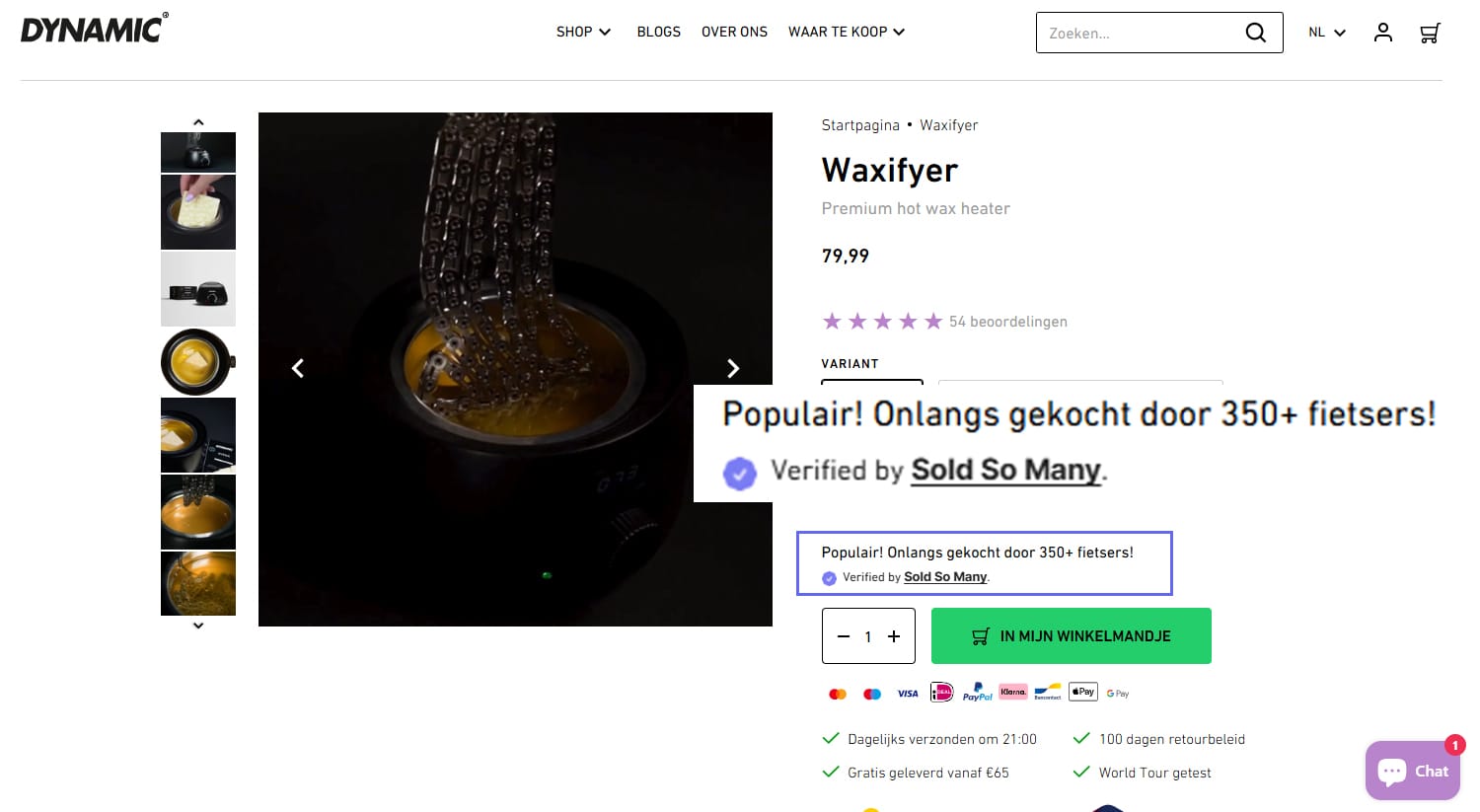
Collection Page Badges
Stores with hundreds of products often see high traffic on their collection pages. Shoppers are more likely to browse a collection page, scrolling up and down, looking at the product cards.

Sold So Many conveniently displays social proof above the product cards on a collection page. Merchants report a higher click-through rate for product cards with a badge than ones with none.
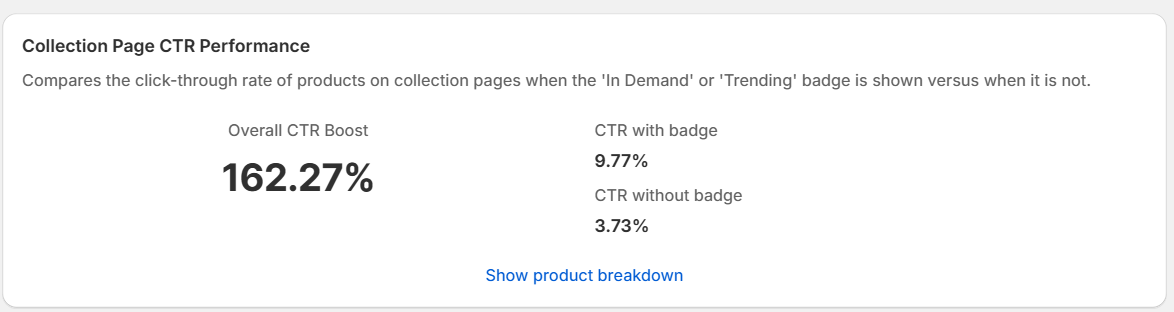
The collection page badges help shoppers make selections more quickly, reducing drop-offs.
Popups
Sold So Many also offers the more traditional approach to displaying social proof: pop-ups that fade in and out at the bottom of the screen. Even though they're a bit intrusive to the overall user experience, pop-ups can be very impactful.
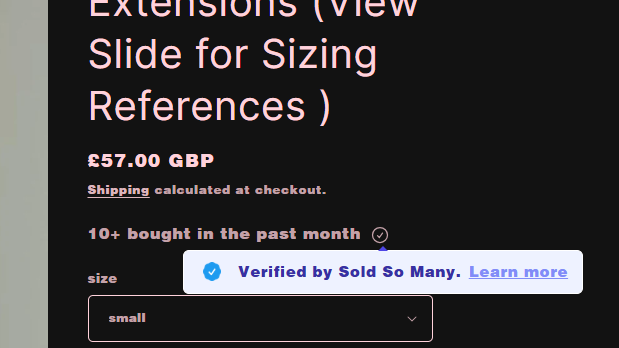
Sold So Many popups also feature the verified indicator, which is a subtle checkmark icon that appears in the pop-up. When hovered on, the pop-up pauses the rotation, and the verified tooltip appears. The tooltip has a link to the dedicated verified page.
Sold So Many provides three kinds of pop-ups, based on the information promoted in them:
Recent orders
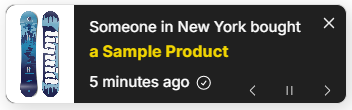
This is a pop-up that displays storewide. It will display a recent order along with the customer's city name and a recency indicator, boosting the credibility of the pop-up through specificity and FOMO (fear of missing out).
Units sold
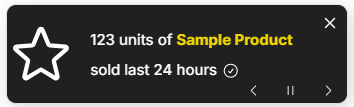
This pop-up appears on product pages when the specific product meets the minimum units-sold count required by the merchant.
Storewide sales

This pop-up appears anywhere in the store when the minimum units sold count is met. It boasts the volume of orders the store has, which increases the shoppers' trust.
Verified Counts For Trust And Credibility
Sold So Many only displays true information and ensures high accuracy. That is, all counts are periodically synced with Shopify's APIs. Real-time counts, such as visitor counts, are sent to the storefront via a dedicated server, ensuring data accuracy with near-real-time latency (< 5 seconds).
This is demonstrated on the verified page dedicated to each client store. The dedicated page displays details about how the information is collected and aggregated.
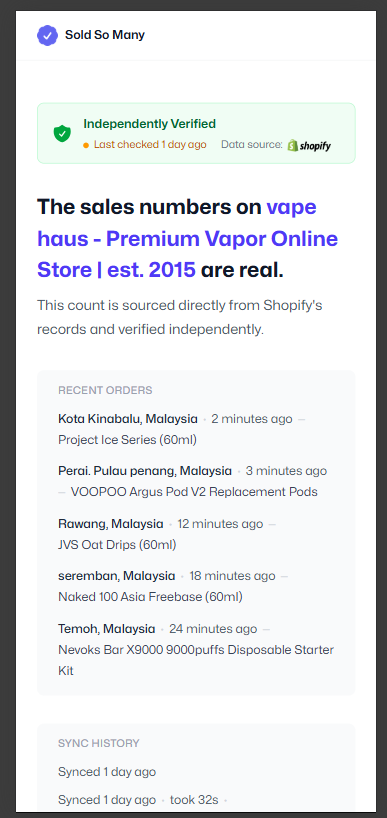
The link to the dedicated page is provided via a tooltip for shoppers that are interested, in a non-intrusive way.
A/B Testing
Sold So Many provides a full suite for a/b testing. This includes testing booster vs no booster and testing different variations (text and style) of boosters (booster is the generalised name for the social proof messaging elements).
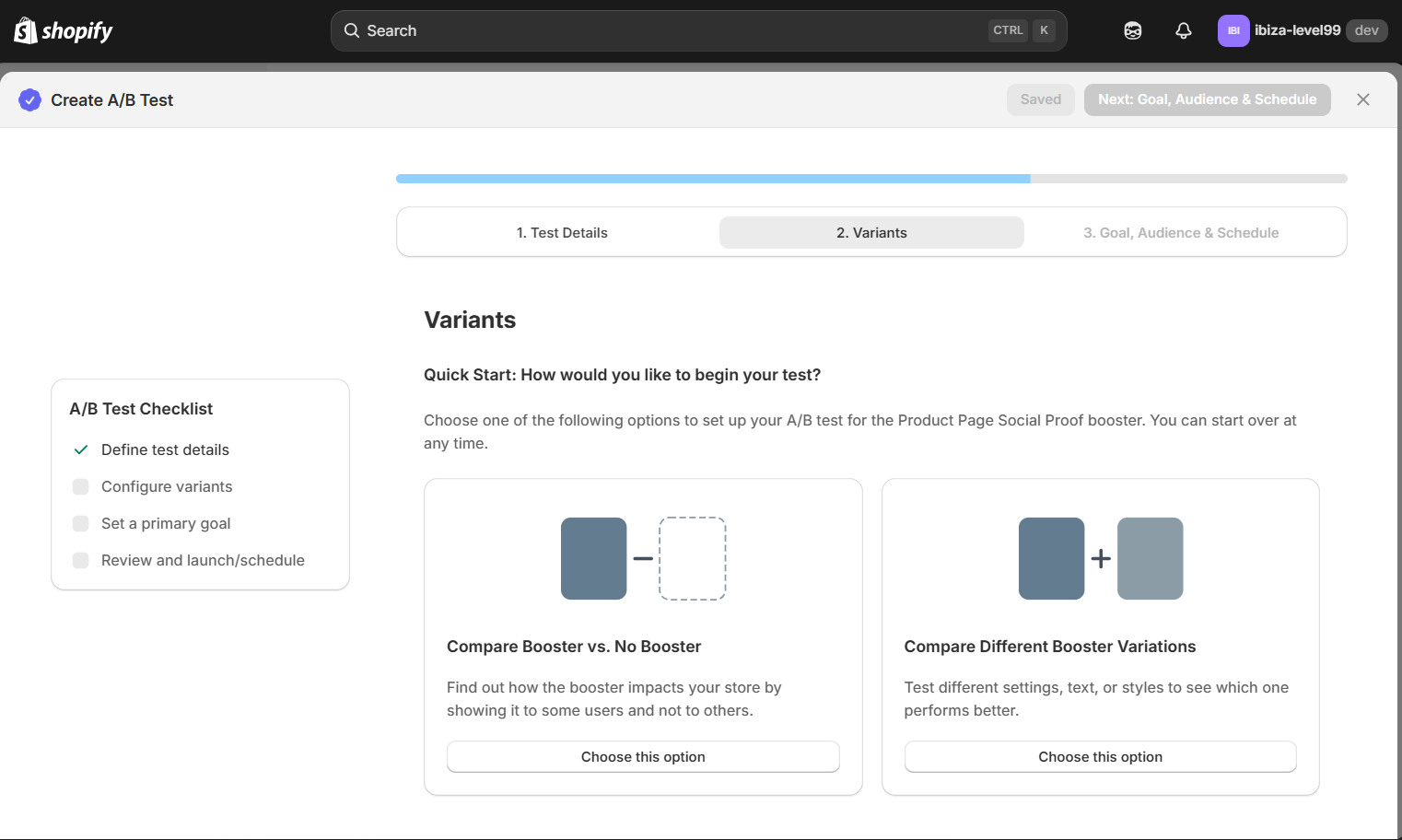
Merchants can adjust the percentage of traffic sent to each variant and create and test up to 4 variants at a time.

Merchants can choose a primary goal (which determines the test winner) and include secondary goals.
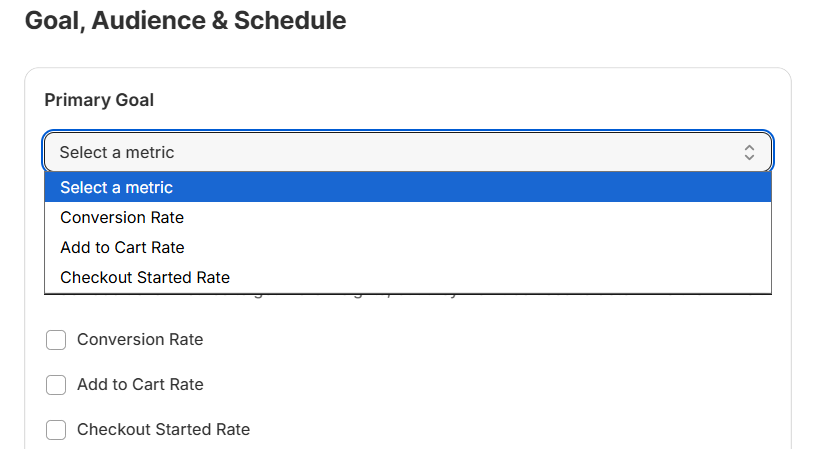
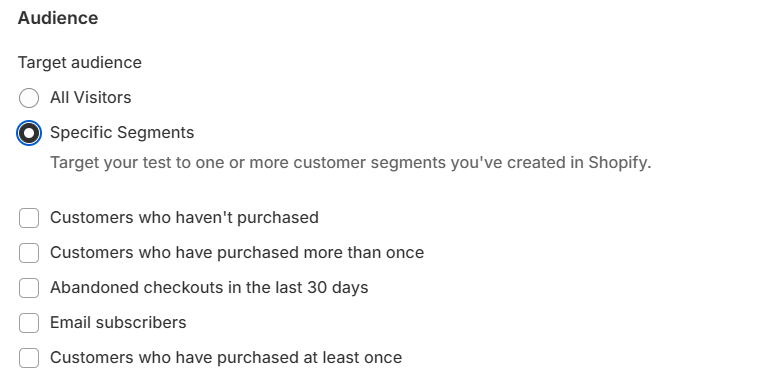
Merchants can choose from segments that they previously created in Shopify Admin.
Analytics
Sold So Many provides analytics of the performance of the boosters. Metrics such as impressions and interactions (e.g., shoppers clicking on tooltips) are provided.

Sold So Many also provides metrics regarding the boost achieved by the SSM Boosters. Metrics such as Click-Thru Rate Boost and Conversion Rate Boost are available. These metrics show how social proof messaging elements affect shopper decisions in an e-commerce store.
The Alternatives on the Shopify App Marketplace
The alternative apps on the Shopify App Marketplace mainly focus on the traditional way of showing messages to shoppers. Many of them focus on either popups or inline-block. There isn't enough focus on keeping a high standard for user experience. Pop-ups can be intrusive because they appear immediately as shoppers browse the store. There aren't any display rules that can help improve this.
Many of the alternatives also don't provide a reliable analytics system or an A/B testing suite.
Most of these apps (especially the free alternatives) focus on stores that have just started. These apps can be useful for new stores, as they offer the service for free. However, for established stores that prioritise maintaining a high standard for user experience and brand image, the free apps' features aren't sufficient.
The alternative apps also don't focus on credibility and trust. Some apps allow the social proof data to be manipulated, which might seem like an advantage for the merchant. Shoppers are quick to notice inflated or inconsistent numbers — and when they do, the app damages trust rather than building it.
Conclusion
Sold So Many takes a fresh approach to social proof in e-commerce. It focuses on visibility, non-intrusiveness, accuracy and trust. By displaying near-real-time data, it makes storefronts dynamic and lively.
For established stores with a high volume of orders, Sold So Many offers many features that boost sales even further.